In this article
On a train, bus, or short wait between stops, you rarely have ten uninterrupted minutes for a game with long menus or five-minute rounds. When your station arrives mid-attempt, you either rush the ending or lose the ground you just covered.
When I built Arrow Fall, I kept the input down to a single touch—tap and hold to rise, release to drop—and placed checkpoints inside each of the 13 neon levels so a two-minute run still feels worthwhile. These are the practical habits I rely on when playing or testing short commute sessions on iPhone.
Tips for one-touch control on the move
Standing in a moving carriage changes how your hand rests on the screen. A few small adjustments keep the controls predictable when you only have one hand free.
- Anchor your thumb near the bottom edge: One-touch play means you do not need two thumbs or a virtual joystick. Hold the phone with one hand, keep the other on a rail or strap, and rest your playing thumb low enough that it never covers the oncoming corridor.
- Use brief holds instead of long climbs: A sudden jolt on a bus or tram is hardest to recover from when you are holding the screen down for a steep climb. Shorter, deliberate holds and releases keep the arrow closer to the middle of the corridor and leave room to react.
- Angle the screen away from overhead glare: Arrow Fall’s neon walls, blocks, and rotating spikes stand out well against the dark background, but bright carriage lights can wash out the edges of a tight gap. Tilting the phone slightly downward makes obstacle spacing easier to read.
- Pick a consistent contact point: Tapping in a different spot every run changes how much of the screen your thumb hides. Keeping the same resting position makes your release timing more consistent from one attempt to the next.
Tips for using checkpoints between stops
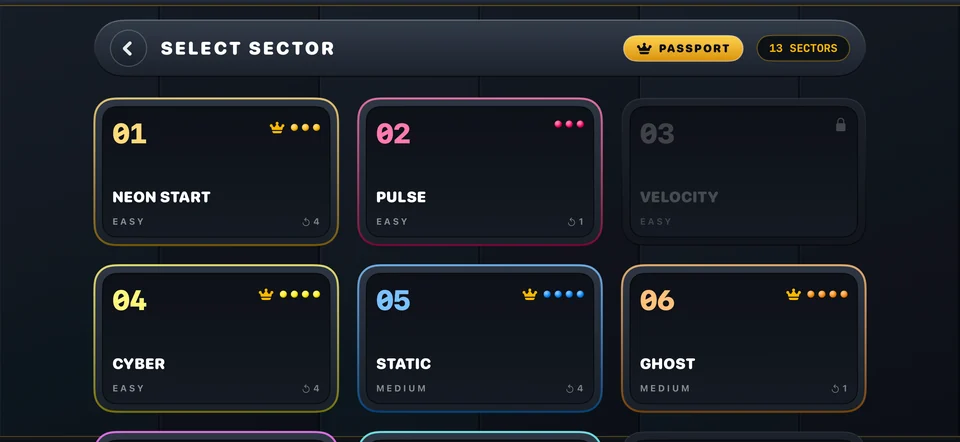
Each of the 13 levels—scaling up to SINGULARITY—has its own neon colour, speed, and obstacle rhythm. Trying to clear an entire stage before your stop arrives usually leads to hurried inputs, so use checkpoints to break a level into two-minute pieces.
- Aim for the next checkpoint, not the finish line: If you only have two minutes, treat the nearest checkpoint as the goal for that ride. Reaching it gives you a clear win without needing a full-level clear.
- Let instant respawn work for one tricky gap: When your arrow shatters into glowing shards on impact, Arrow Fall drops you back at your last reached checkpoint rather than the very beginning. Two minutes is plenty of time to repeat one spike sequence five or six times until you see the line through it.
- Notice what changed before the crash: Instant restart is fast enough that it is tempting to mash straight into the next attempt. Taking half a second to spot whether you held too long or released too late turns a short wait into useful practice.
- Stop cleanly right after a checkpoint: The moment you pass a checkpoint marker, you have a natural place to lock the phone and step off the train. You do not need to push into the next unfamiliar corridor while walking towards the doors.
Tips for pacing short sessions
Short runs work best when you match the level to your surroundings rather than forcing your hardest stage in a noisy, crowded spot.
- Warm up on an earlier level when your hands are cold: Cold fingers on a winter platform can feel sluggish on release. Spending thirty seconds on one of the opening levels settles your timing before you jump back into faster corridors.
- Save the fastest stages for a seat: Later levels crank up the speed and pack spikes and blocks closer together. If you are standing on a busy bus, replay an earlier level you already know, and leave SINGULARITY for a calmer stretch.
- Play muted unless you are wearing headphones: Visual cues alone—the arrow’s angle, the corridor walls, and the rotating spikes—tell you everything needed to time a hold. Keeping sound off in a quiet carriage avoids fumbling with volume buttons mid-run.
- Put the phone away after three similar crashes: If you hit the same block three times in a row because your attention is split by announcements or fellow passengers, pause there. Coming back with fresh eyes on the ride home usually beats grinding while distracted.
If you are brand new to the controls, the Arrow Fall beginner guide walks through the basics of reading the corridor ahead. For a closer look at a single early sequence, I also wrote up how I approach NEON START’s first checkpoint.
Know the access limits
Arrow Fall (version 2.0) is free to download with advertising, and no in-app purchases are listed for the current release. All 13 neon levels—from the early stages through to SINGULARITY—are included without a paywall, and mid-level checkpoints are part of every stage. The game runs on iPhone (iOS 15.6+), iPad (iPadOS 15.6+), and Apple silicon Mac (macOS 12.5+), though iPhone is the obvious fit for one-handed commute play. Because the free release includes ads, keep in mind that ad behaviour can depend on having a mobile connection, which may drop in underground tunnels.
If you want a one-touch arcade game that fits neatly between stops, check the compatibility details and current release notes on the app page.