In this article
The ten minutes after you hand back the menus are an awkward gap at any table. Everyone is hungry, conversation stalls between courses, and pulling out separate phones to scroll quietly kills the mood before the starters even leave the kitchen.
Most mobile games make that pause worse because they ask for Wi-Fi, account logins, or turn-by-turn passing that leaves half the table watching someone else play. When I built Button Mash, I wanted a small local game that turns a single iPhone into a shared table-side contest you can finish before the drinks arrive.
Why one phone beats two screens at the table
A restaurant table leaves very little room for setup. You do not want to pair Bluetooth controllers, wait for a lobby to load on patchy café reception, or ask a friend to download an app just to kill five minutes. Button Mash runs on one screen with no accounts, no Wi-Fi, and no second device required.
You place one iPhone in landscape between two people. Player 1 takes the blue button on the left and Player 2 takes the red button on the right. Every tap tugs a shared rope towards your side, backed by jelly button animations, screen shake, and haptic feedback synced to the countdown and finish.
Instead of each person retreating into their own screen, both thumbs are on the same glass and everyone else at the table can watch the rope marker swing back and forth. If someone falls behind and suddenly surges back, the comeback alert fires right on screen, which usually gets a laugh from whoever is sitting opposite.
Matching the mode to the wait
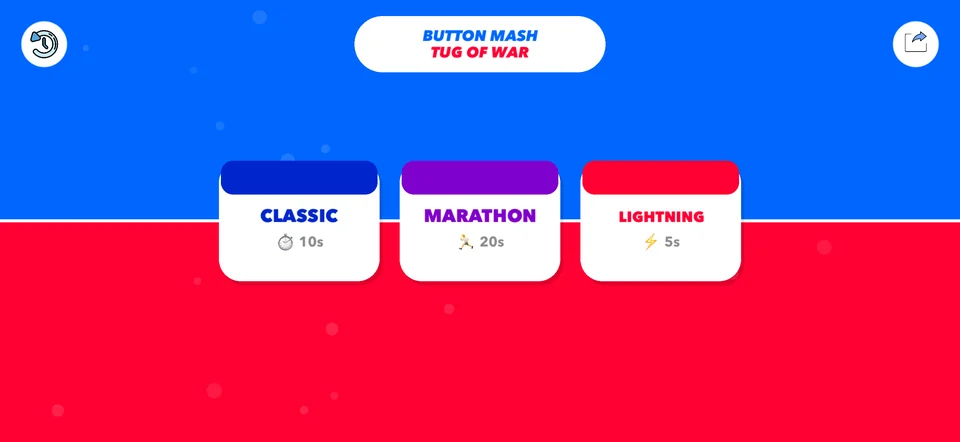
Not every pause at a table calls for the same length of match, so I included three timers that fit different moments while you wait for food:
- Lightning (5 seconds): Built for instant tiebreakers—deciding who gets the last garlic bread or who picks the next round of drinks. It is over before anyone settles in.
- Classic (10 seconds): The default table round. Ten seconds is long enough for the rope to swing back and forth, with a slow-motion dramatic finish in the closing seconds if the match goes down to the wire.
- Marathon (20 seconds): A longer endurance duel for two people who want a proper test of pace rather than a five-second burst. Like Classic, it slows down at the end when the final taps decide the winner.
You win either by dragging the rope marker all the way to your side or by holding the lead when the clock hits zero. If you want a deeper look at how the three timers change tapping rhythm, I wrote a separate breakdown on comparing Classic, Marathon, and Lightning. If there are four of you waiting for a main course, you can also rotate pairs using a simple four-player round-robin sheet.
Keeping a running rivalry across dinners
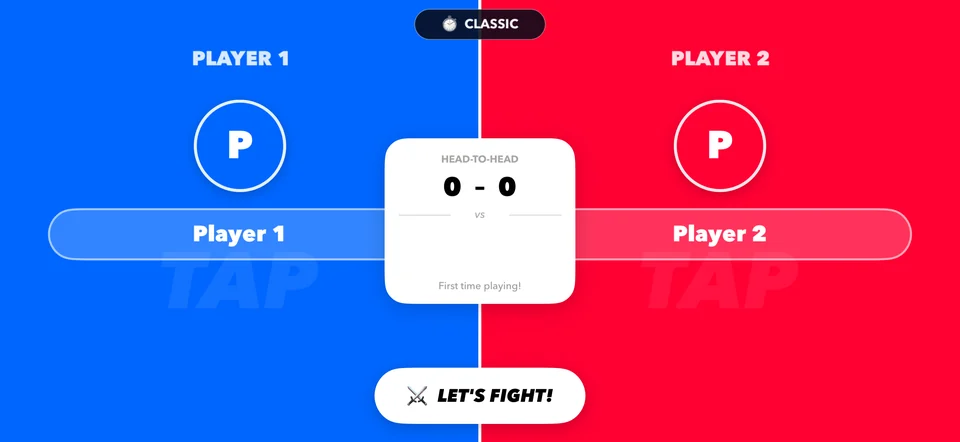
Half the fun of a quick table game is remembering who won last time. Before a match starts, you can type in both players' names so Button Mash saves a local head-to-head record on that device—wins, losses, draws, win streaks, and peak taps-per-second (TPS) scores.
Next time you eat out together, you see the all-time score before the first tap. Breaking your personal peak TPS flags a new record on screen, and win streaks are tracked after each victory. Because everything is stored locally on the phone, the same pair of names picks up right where you left off across different cafés, train journeys, or family dinners.
My only practical tip here is to stick to the same spelling for each person's name. If you type "Sam" on Friday and "Sammy" on Sunday, the app treats them as two separate rivalries in the match history.
Table-side fair play rules
Rapid tapping gets competitive quickly, and a restaurant table has glassware, cutlery, and neighbours nearby. A few simple house rules keep the game fun without turning it into a nuisance:
- Clear the landing zone first: Slide water glasses, sauces, and phones with cracked cases out of reach before the countdown begins.
- Light taps, not heavy slams: The screen registers tap speed, not impact force. Pressing harder does not pull the rope any faster, and it only rattles the table.
- Hold or anchor the phone fairly: Either lay the iPhone flat on a stable surface between both players or have each person steady one corner without tilting the screen away from the other thumb.
- Swap sides on rematches: If one seat has an awkward reach around a menu holder, switch left and right between rounds in a best-of-three.
- Respect the room and the food: Keep the volume sensible in quiet dining rooms, and stop as soon as the plates arrive—there is no penalty for closing a round mid-streak.
Access limits and what is included
Button Mash is free to download and includes advertising; there are no in-app purchases listed for this release. The two-player tug-of-war matches and local rivalry history work without an internet connection, account sign-in, or Bluetooth pairing, though ads themselves may require a network connection when present.
If you want a quick shared game ready on your home screen for the next long wait before dinner, you can check the compatibility details and App Store link on the app page.