In this article
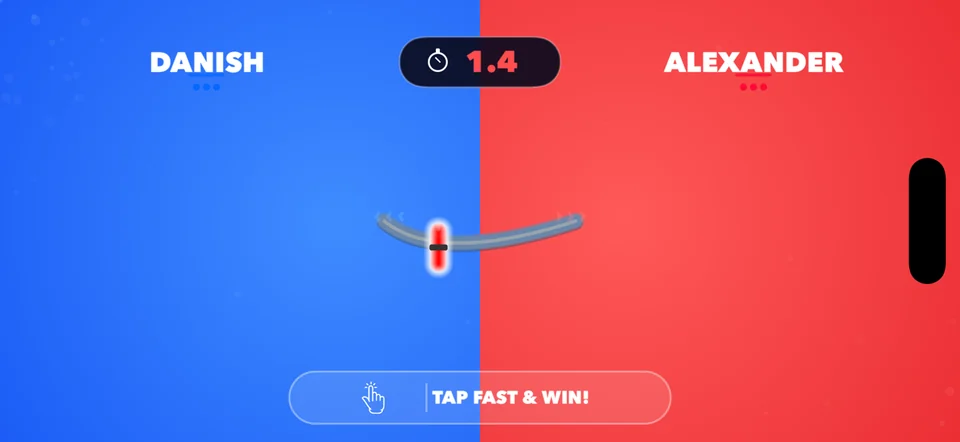
Button Mash puts two players on one screen. One taps blue, the other taps red, and the rope moves towards the player generating the stronger run of taps.
I built it around a short, shared contest: no separate controller to pair and no second device to prepare. Here is how to start a match and understand the result.
Give both players a fair setup
Use one iPhone, hold it securely or place it on a stable surface, and give each player clear access to their side. Turn the device to the game’s landscape layout.
Each player should be able to tap without covering the other side or pushing the device around. It is energetic play, so choose a place where that makes sense.
Choose the match length
| Mode | Length | How I would introduce it |
|---|---|---|
| Classic | 10 seconds | A first match: long enough to understand the rope, short enough for a quick rematch. |
| Marathon | 20 seconds | A longer contest where keeping a steady tapping pace matters. |
| Lightning | 5 seconds | A very short round once both players know when to start. |
The mode changes the rhythm of the contest. I would start with Classic rather than ask new players to understand the controls during a five-second round.
Enter names consistently
Enter the player names before the match if you want the rivalry history to be useful. Use the same spelling next time so one pair of players does not become several slightly different records.
These are local game names, not online profiles. Button Mash does not need accounts, Bluetooth pairing, or a Wi-Fi connection for the shared-screen match.
Tap your side and watch the rope
When the round starts, tap your own coloured area. Faster tapping pulls the rope towards your end. You can win by pulling the marker all the way across, or by being ahead when the timer finishes.
Watch the game state rather than assuming the result from who sounds louder. A late run of taps can change the balance, and the longer modes include a dramatic slowdown near the end.
There is no need to hit the screen hard. The game responds to taps, not force. If the device moves around, reset the physical setup before the next round.
Read the result, then make the rematch deliberate
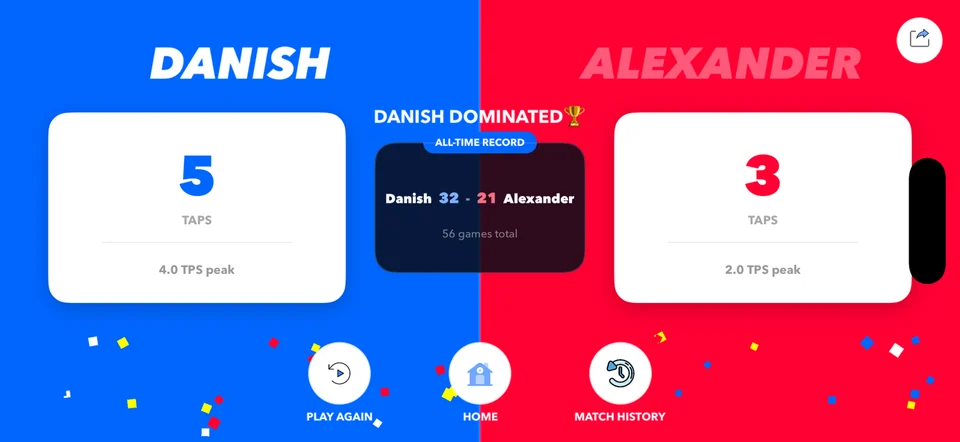
The app records wins, losses, draws, match history, peak taps per second, and win streaks for rivalries on the device. Use the result to settle the round, then choose whether you both want another.
If the setup felt uneven, switch sides. A short best-of-three can be a clearer stopping point than an endless sequence of “one more” rounds.
Choose the game for the setting
This is a lively tapping game, not a quiet colouring activity. It fits a shared break or a game night better than a place where screen shake, rapid tapping, and competition would be unwelcome.
Explore Button Mash. For a solo reflex game with a different control rhythm, see the Arrow Fall beginner’s guide.