In this article
Paperwink is a small-note app I’m working on for iPhone and iPad. The idea is to keep a short thought, reminder, or checklist close to the place you already look: the Home Screen.
This is a development preview. Paperwink’s current App Store version is preparing for submission. The screenshot below shows an early editor, and the final features, appearance, and availability may change.
Give a small note a small job
I see this as a place for something you want to notice again: the next step in a project, a short packing reminder, or a line you want to keep in sight.
Those examples guide the design. A note that is meant to be read at a glance needs a different amount of text and a different layout from a long document.
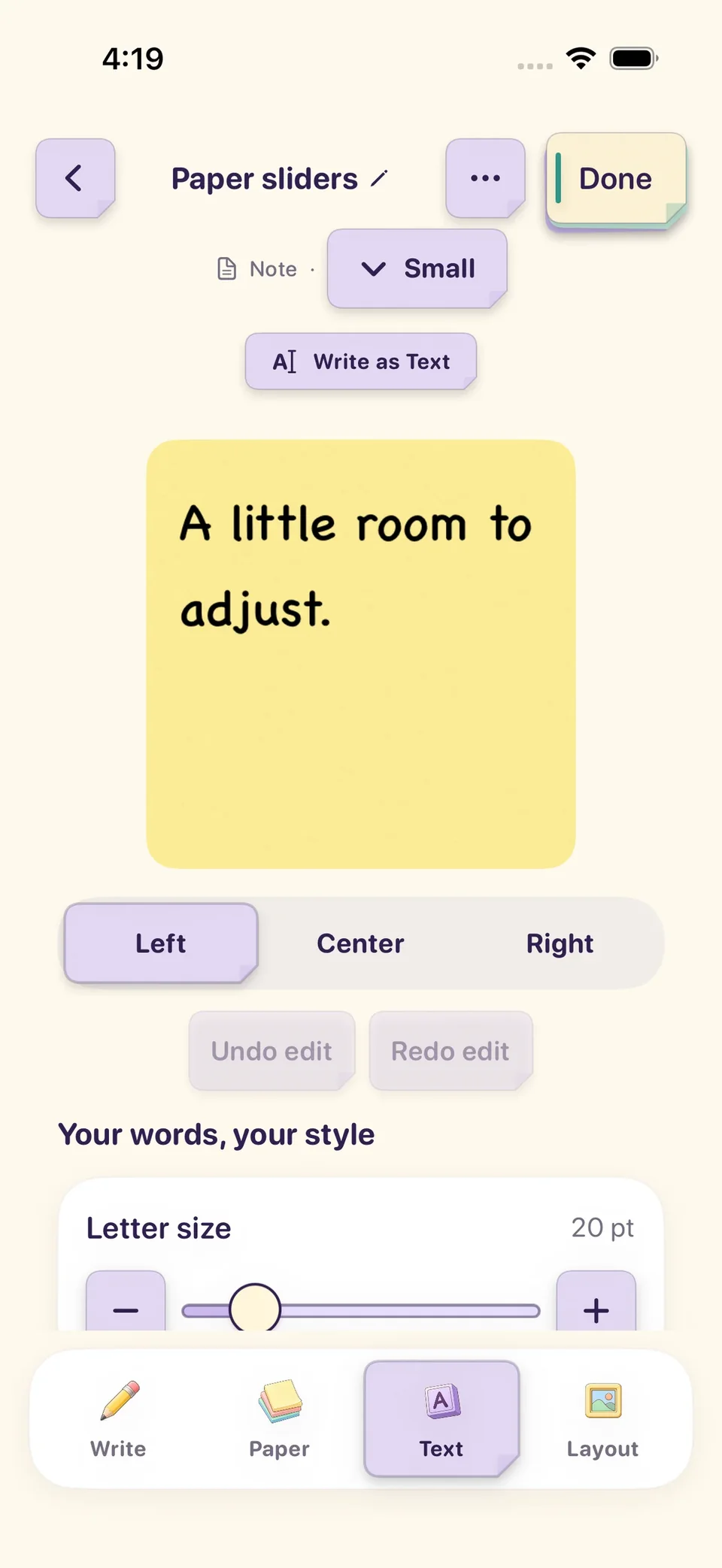
Make appearance serve the words
The editor preview explores text alignment, spacing, colour, and paper styles. I want those choices to help a short note feel personal while keeping the text easy to read.
A simple reminder should still be legible after choosing its background. Tiny type, a crowded card, or low contrast can work against the reason for putting a note in view.
Think about what belongs on a visible surface
A Home Screen note can be seen by someone beside you. I would use it for ordinary reminders and keep passwords, private contact details, and sensitive information elsewhere.
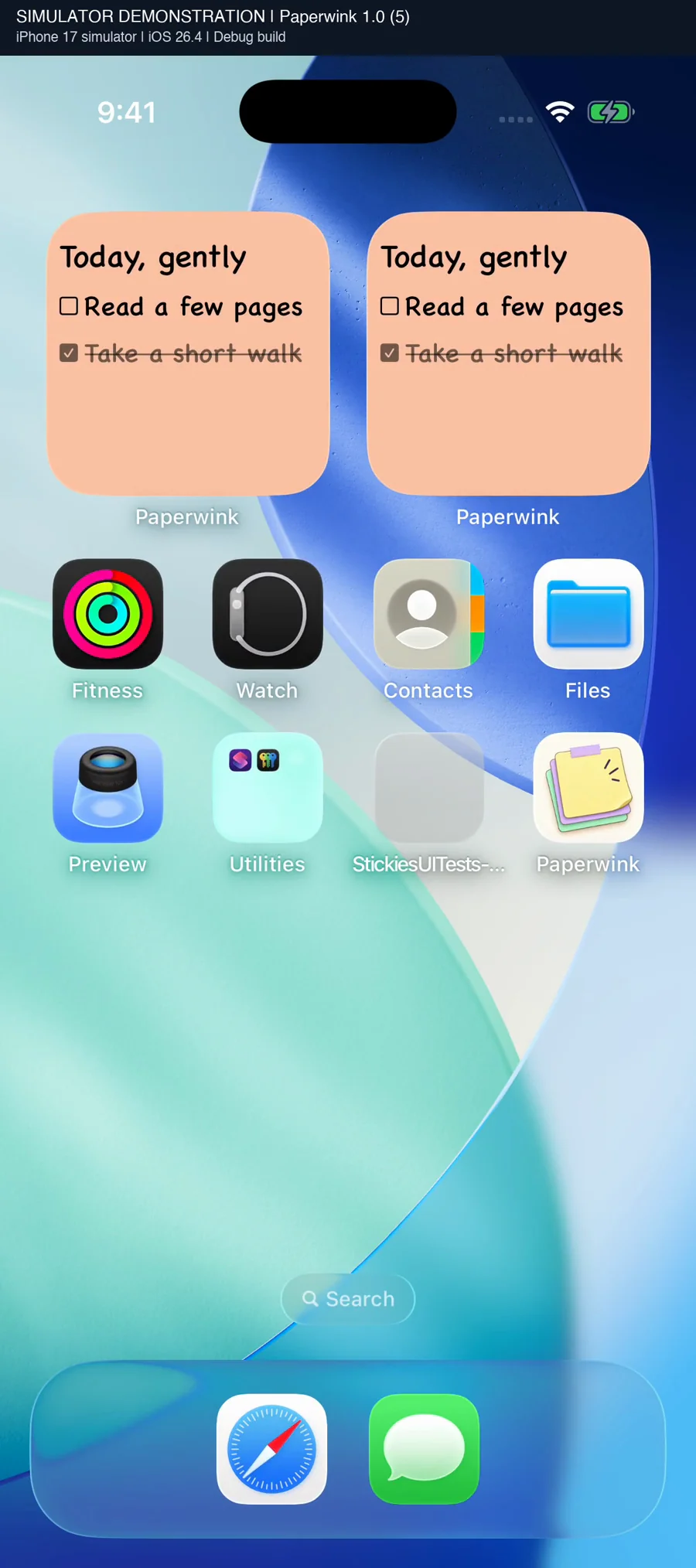
That is a consequence of visibility, regardless of how an app stores a note. Convenience and where a note appears are decisions to make together.
What I want to test before calling it finished
- Can a short note be created without a long setup?
- Does it remain readable in the available widget space?
- Are paper and text controls understandable?
- Is it clear which interactions open the app?
- Does the experience stay useful with larger text?
I will describe supported widget types, interactions, storage, and purchase details when those are confirmed for release. I do not want a preview article to turn a design direction into a promise.
Following the project
Paperwink’s project page is the place to follow its availability. There is no download link to an unreleased version here.
For something available now, my Focuso setup guide covers a similarly small idea: choose one concrete action before starting a work session.
