In this article
Choose a cover layout in Make a Book: artwork collage, one picture, title only, template illustration or your own photo. Check the title, image crop and credit in the full preview before exporting.
The cover should introduce the collection without squeezing every picture into one page. I would start with a short title and a representative image, then decide whether a collage genuinely adds useful variety. A clear cover gives the artwork room to make the first impression.
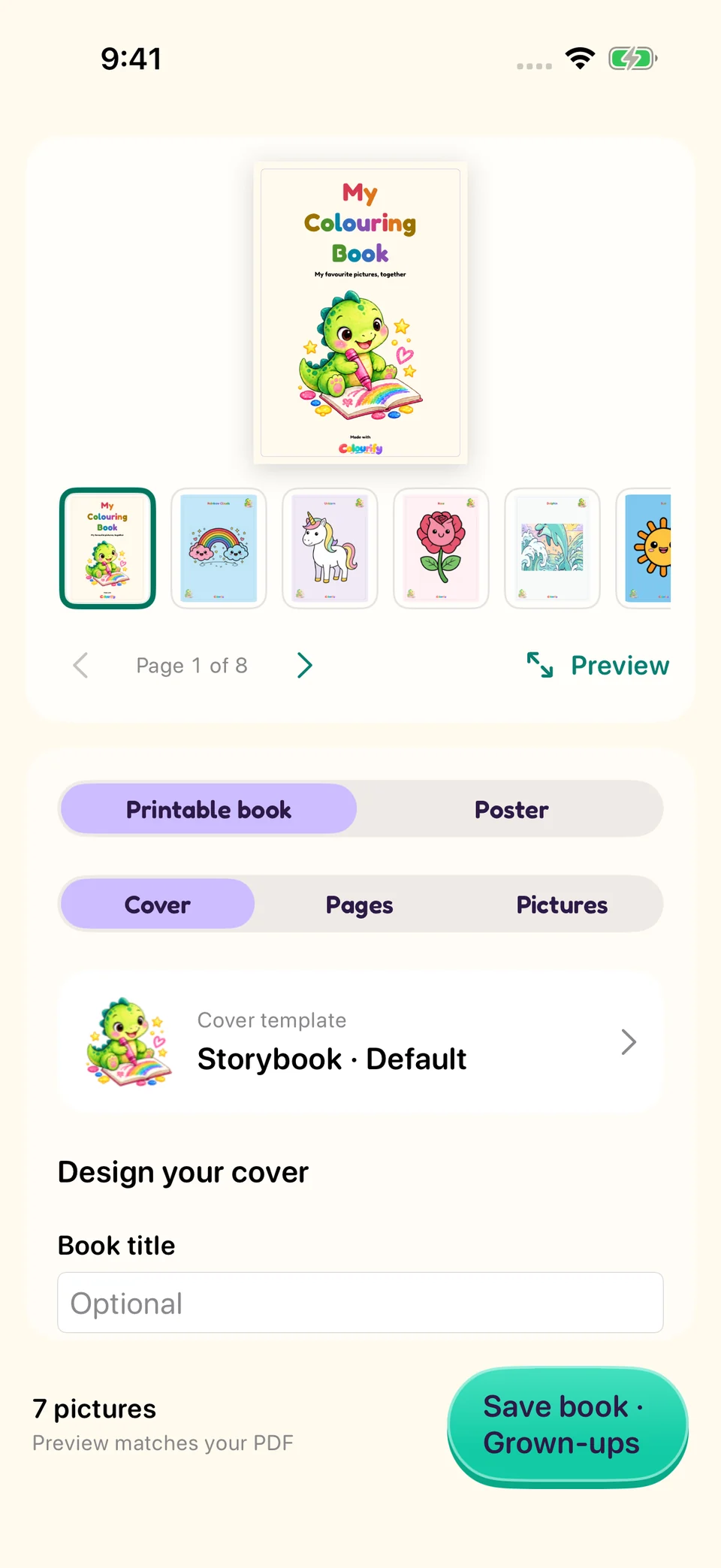
Choose the cover’s job
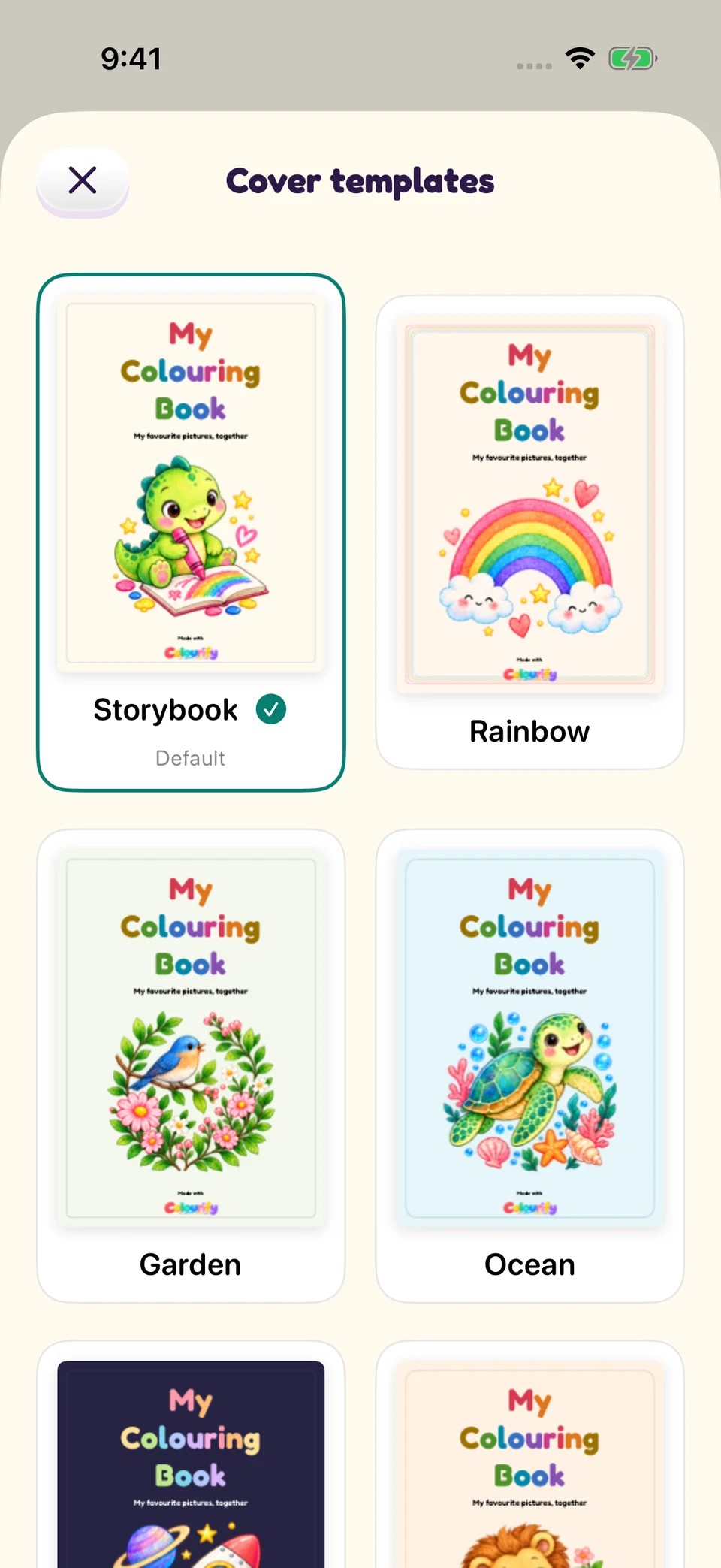
Open Make a Book and select the Cover controls. An artwork collage can introduce several subjects; one picture gives a single favourite more space. Title only is useful when text should lead, while a template illustration supplies a themed introduction. A personal photo is another source, not an instruction to add a child’s portrait.
Prepare the image and text
For a photo cover, choose the image from Photos and check the whole preview before committing. Use a short book title and review any subtitle or artist credit. Avoid full names and personal details when the PDF may be shared outside the family. The source photograph is separate from the way the cover presents it.
Compare at the size a reader will see
Enlarge the cover, then return to an ordinary page-sized view. Look for a title that dominates the artwork, a subject too close to the frame or text competing with the decorative background. Change one control at a time. Compare the cover with the first inside page so the two feel related without needing identical decoration.
Check the result
- Check title spelling and visible personal details.
- Inspect the image’s outer edges in the full preview.
- Open the final PDF and compare its cover with the editor.
Know the access limits
Cover design can be previewed before buying personalised PDF export. Unlock Everything is required to save that book; custom branding controls are also paid options.
Explore Colourify, or continue with the related guide.

