In this article
A floral frame can make a drawing feel finished or make its details harder to see. In Colourify I would decide where that frame belongs before adding more decoration or reducing the picture to make everything fit.
Separate three different choices
Frame style determines the decoration. Placement determines whether it surrounds the artwork or the page. Mounting determines whether the picture sits flat or as a raised card. These choices interact, but they are not names for the same setting.
Open a representative book page and keep two choices fixed while adjusting the third. I use a detailed picture for this check because it exposes collisions that a large simple shape can hide.
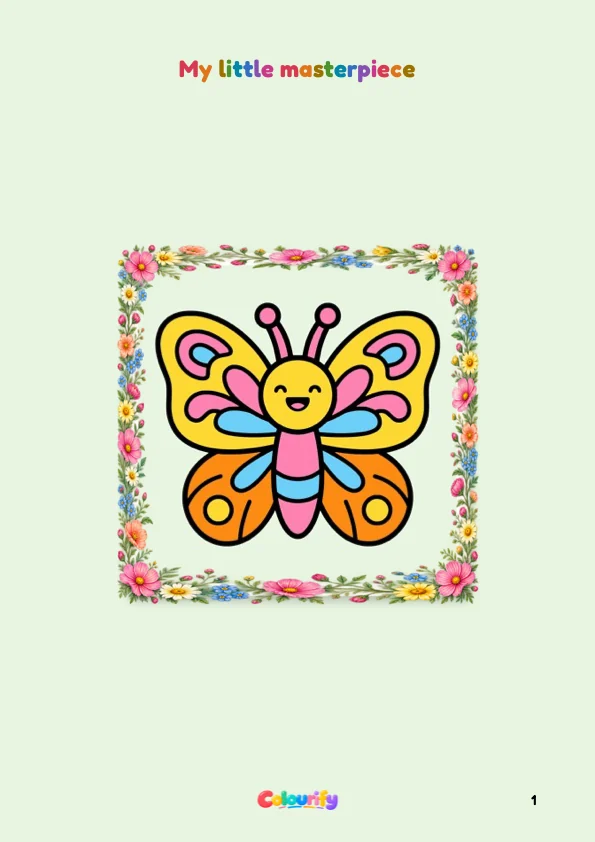
Try Around artwork for a picture-focused composition
Choose the frame and compare its relationship to the subject’s outside edges. Increase or reduce available spacing deliberately, then inspect the full preview. A neat border in a thumbnail can look crowded when enlarged beside a long caption or a finely drawn wing.
The native render below shows a frame close to demonstration artwork. It is a digital composition example, not a claim that the frame has a particular physical width on every paper size.
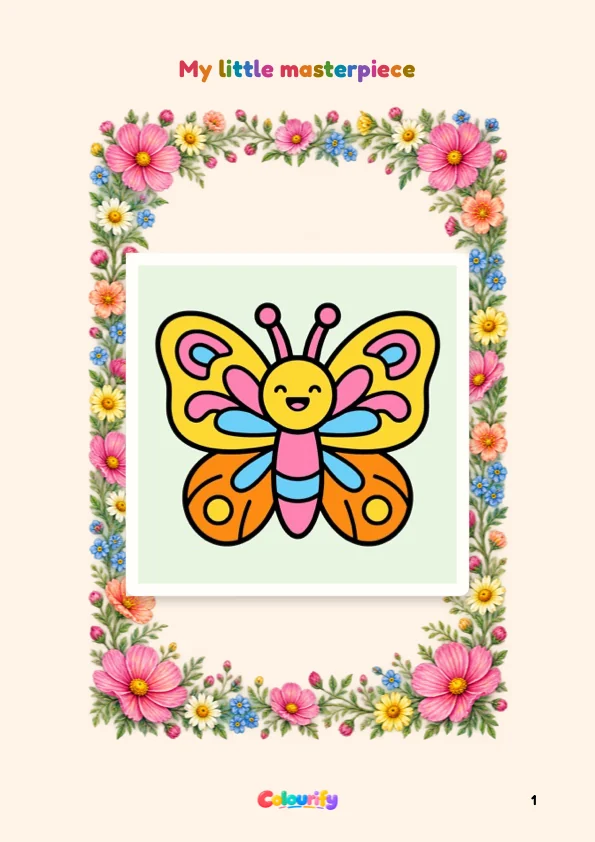
Try Around page when the page needs the boundary
Move the frame placement to Around page and look at the empty space between the picture and the outer treatment. This can make the whole sheet feel like the framed object, but that does not automatically make the subject larger or more readable.
Check corners and any text near the page edge. Printer margins are another boundary: a preview can be complete while a printer clips outer decoration under its selected scaling. Keep this distinct from the app’s picture layout.
Use spacing to solve a named problem
Say what needs more room: a child’s drawing name, the top of the subject, or the outer decoration. Adjust the corresponding spacing and inspect that area rather than moving sliders until the page looks vaguely different.
Export and reopen one page before applying the design to the collection. Flat versus raised mounting addresses the card treatment separately. Subject only addresses the drawing’s background. The complete book guide covers the final PDF and print checks.
Know the access limits
Colourify has no ads. Starter numbered pictures and ten brushing pictures are free. Optional lifetime Unlock Everything adds Pro pictures, extra brushes and fill styles, premium sounds, unlimited drawing imports, and personalised PDF book export. Purchases and protected sharing actions go through the grown-up area. Artwork remains on the device.
Questions before you start
Is a frame the same as Raised card?
No. A frame is decoration; Raised card is a mounting treatment. Compare them separately.
Why can a printer cut off a complete border?
Printer margins and scaling are independent of the app preview. Check the print dialogue and make one proof.
See the app details and current access information before choosing your next step.

