In this article
A folder of individual photos is not always the easiest thing to send. A PDF can keep a set of receipts, reference images, or photographed pages together in a document the recipient can open and page through.
Release checked: Image Converter 2.3, 16 November 2026. Use the installed access screen for the offer available to your account.
Image Converter supports both single-image PDFs and a combined batch PDF. For several images, I use Batch, decide how the pages should look, and inspect the saved document before sharing it.
Prepare a small, deliberate selection
Start with the images that belong in the document. Check orientation and readability before importing: converting a blurry photograph into a PDF does not make its text sharper.
In Image Converter, open Batch and import the images. Review the preview and remove anything you do not need. Arrange the source selection in the sequence you want and verify the final page order after conversion; do not assume an album’s display order will always become the document order.
If an original is stored only in iCloud, download it while connected before trying an offline export.
Choose PDF and the right page layout
Select PDF as the output format. The layout choice determines whether you get individual image-sized pages or a consistent paper format.
| Layout | When I would choose it |
|---|---|
| Fit to image | One image per page, with each page matching that image’s size. |
| A4 or US Letter | One image per page on a consistent paper size for printing or review. |
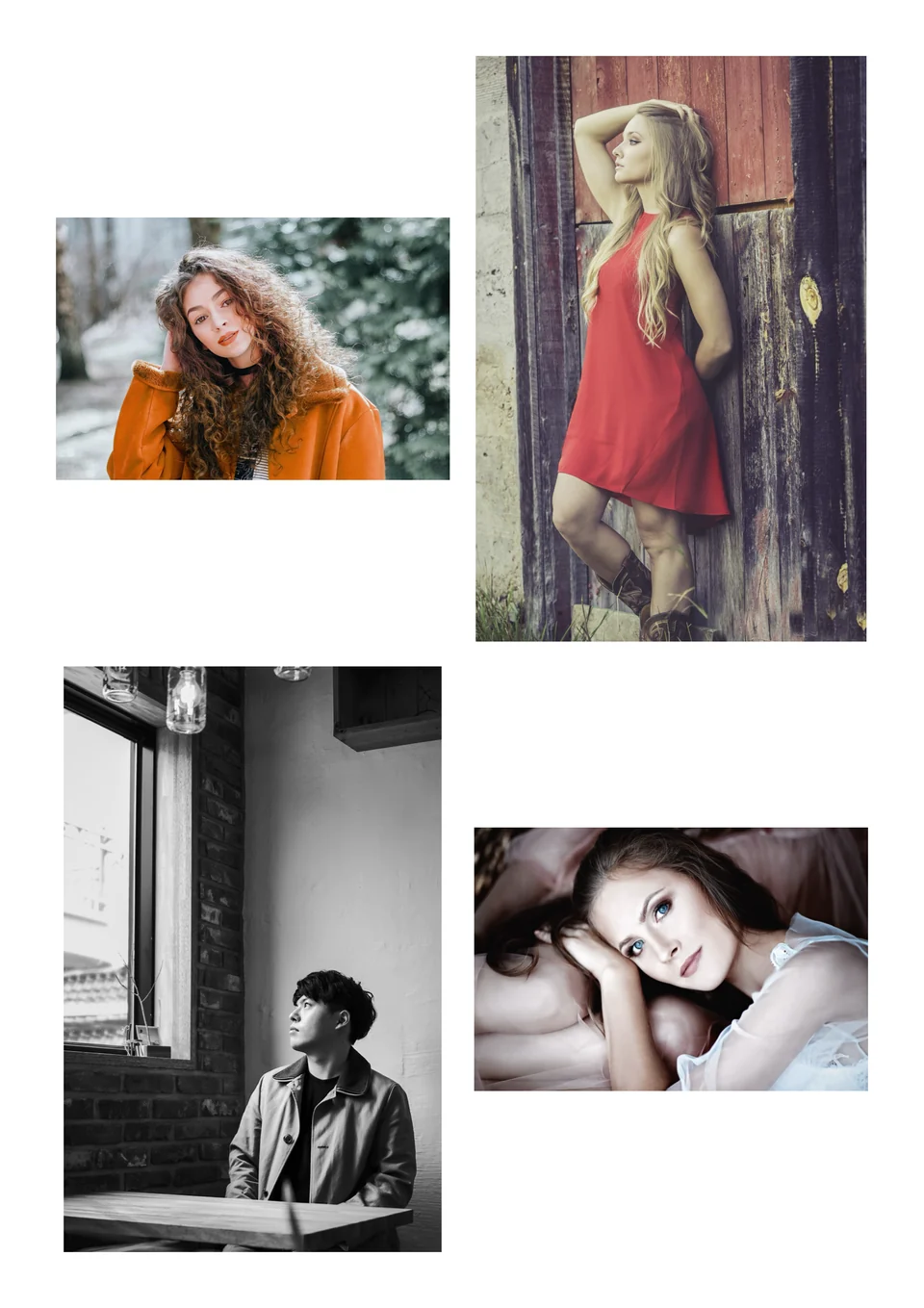
| 2, 4, or 6 per page | A compact contact sheet, with multiple images on each A4 page. |
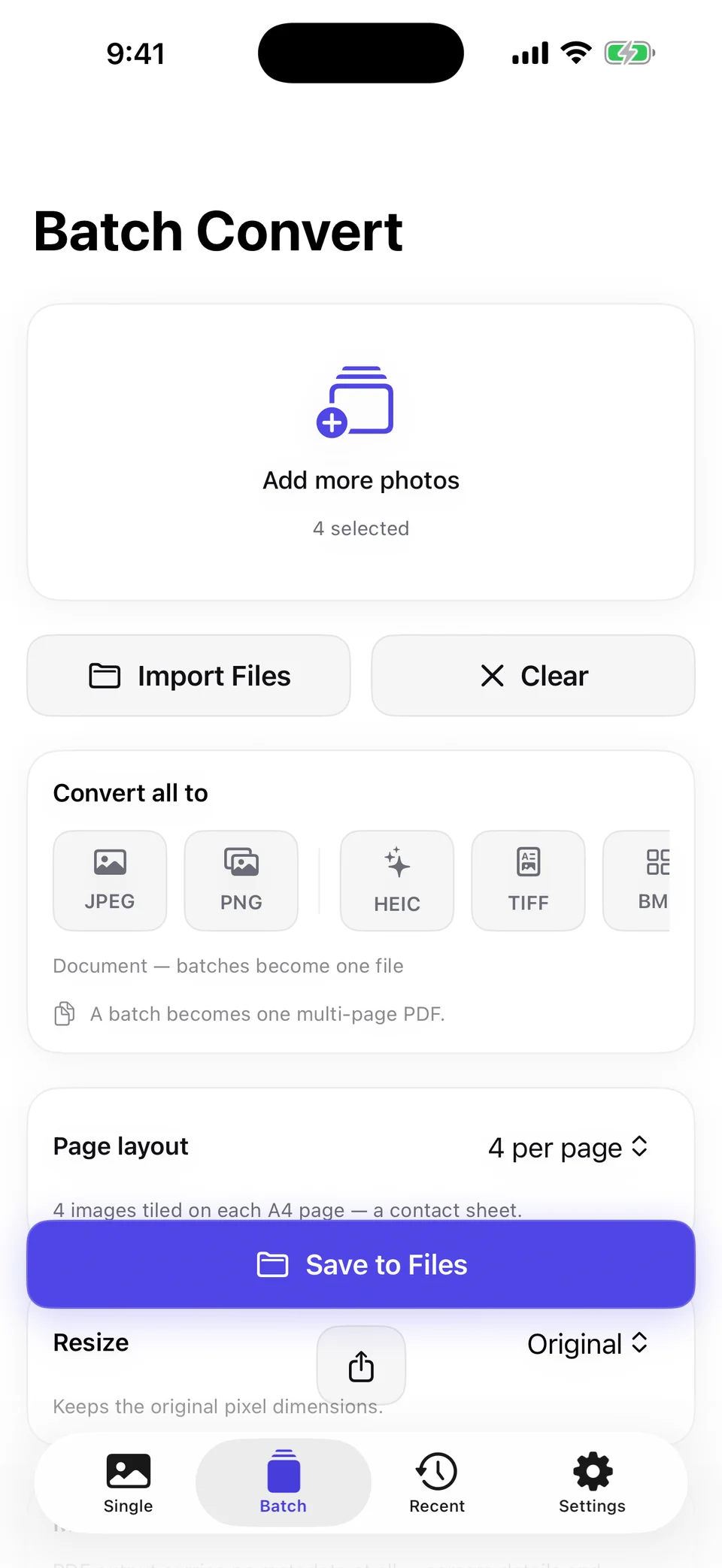
For a document someone needs to read, I favour one image per page. A contact sheet is better for choosing among pictures than for reading tiny receipt text.
Choose compression with the destination in mind
Original-quality PDF export is available free. Pro adds Balanced and Small file compression. If you are sending the PDF to a service with a strict limit, inspect the finished document’s actual size rather than relying only on the compression label.
A PDF containing several detailed photos can still be large. If it exceeds the limit, try compression or smaller source dimensions, while checking that important details remain readable. My file-size guide explains why reducing pixels can help when quality adjustments are not enough.
Export and open the actual document
Convert the batch and save the PDF to Files. Open that saved file, then page through the whole document.
- Are all the expected images present?
- Is the page order correct?
- Are portrait and landscape images upright?
- Can you read the smallest important text?
- Does the file meet the recipient’s size limit?
For printing, check the printer’s paper size and scaling. A PDF page size and the paper loaded into a printer are separate settings. Print one page first if the layout matters.
A PDF is a container, not automatically a scan
This workflow puts images into a PDF. It does not promise searchable text, optical character recognition, or document authentication. If the recipient needs those, check that requirement separately.
The free daily conversion allowance still applies; lifetime Pro includes unlimited images and compressed PDFs. For a set that needs image files instead, use my batch conversion guide.
Check the result against a small source list
For a four-receipt document, write down the intended sequence before exporting: receipt 1, receipt 2, receipt 3, receipt 4. With one image per page, expect four pages. With a four-per-page layout, expect one page containing four readable images. This is a layout example, not a claim that four receipts will fit a particular byte limit.
- Open the PDF saved in Files, rather than stopping at the in-app preview.
- Compare the visible pages with your source list; check for omissions, duplicates and rotation.
- Zoom in on dates, totals or other small details, then inspect the file size.
For a separate, reproducible document example, open the existing two-page PDF test chart. Its original-quality file is 797,983 bytes. It is a generated test-chart sample, not a measurement of your photos. The measured PDF comparison records its source, layout and compression results.
Current access
Image Converter 2.3 processes conversions on-device without a photo upload or account. The free app includes ads and five images per day, with optional rewarded ads for extra conversions. Original-quality PDF export is free within that allowance. Lifetime Pro removes ads and adds unlimited images, compressed PDFs and ZIP export. A cloud-only source may need downloading first.
See Image Converter app details and current access information before your next session.