In this article
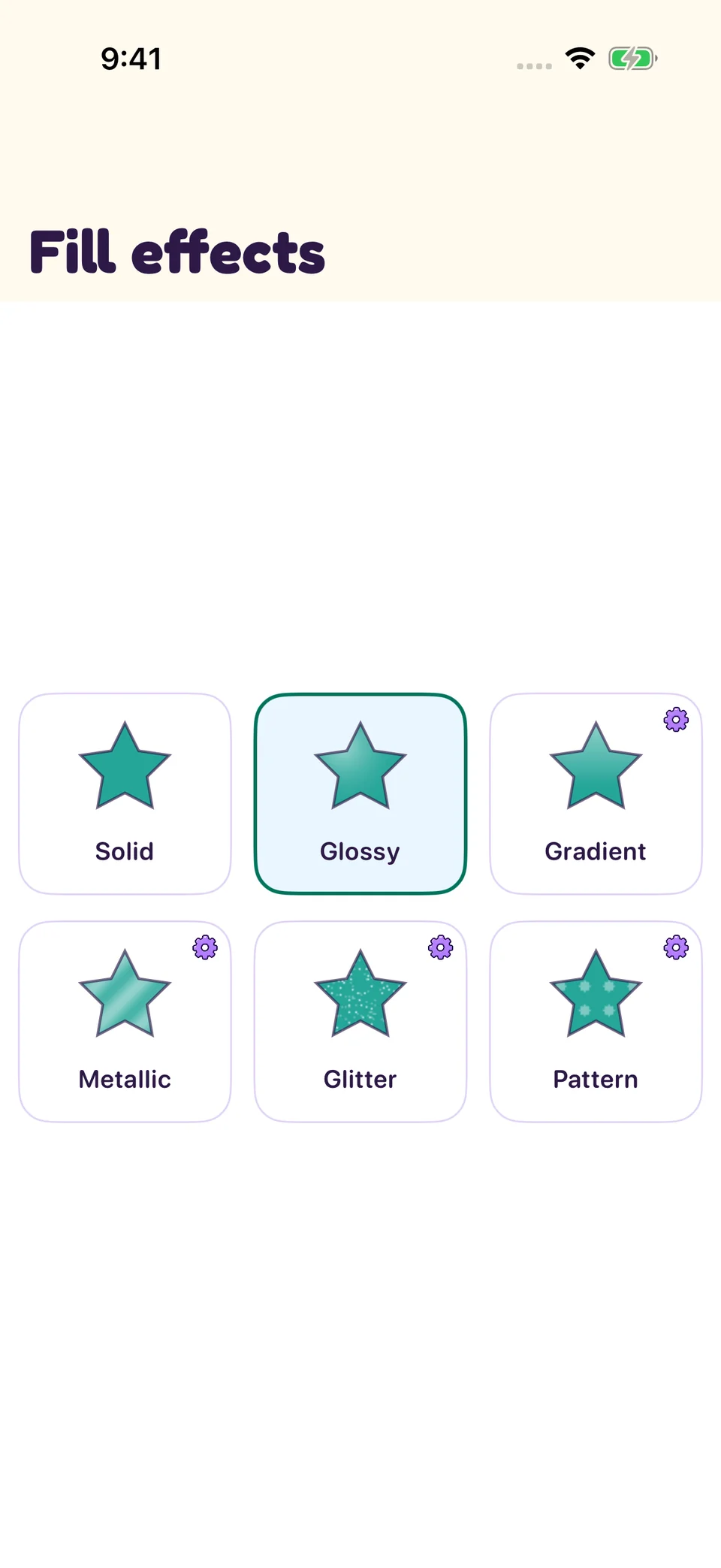
Colourify offers Solid, Glossy, Gradient, Metallic, Glitter and Pattern fills. Solid and Glossy are free; the other four require Unlock Everything. Compare effects using the same colour and similarly sized areas.
A fill effect should add something to a drawing, not conceal its colours under a layer of texture. I start with a balanced multicolour picture, then use an effect on one part of the subject. That makes the difference easier to judge than changing both the palette and every surface at once.
Make a controlled comparison
Choose a supported numbered or free-colouring picture. In numbered colouring, the palette supplies the base colours; in free colouring, keep your selected colour steady. Open Fill effects where offered. Work on a broad area so the texture is visible, but retain plain neighbouring areas for comparison.
Choose the effect for the surface
Solid gives a clear flat colour. Glossy adds a shinier appearance. Gradient varies the colour across an area, while Metallic suggests a reflective surface. Glitter adds sparkle and Pattern adds repeated decoration. I would compare a wing panel or balloon first; tiny eyes and thin stems rarely need the same treatment as a large decorative shape.
Review the exported appearance
Inspect the full picture after each change. A textured area that looks attractive when enlarged may distract from the subject at normal size. Undo an unsuccessful experiment rather than layering several effects in search of a result. Colourify’s effect chooser should not be confused with Colorist’s separate advanced texture and sheen adjustment controls.
Check the result
- Keep the base colour constant while comparing two effects.
- Check a saved image at normal size for texture and contrast.
- Make sure the rest of the picture still has a deliberate palette.
Know the access limits
Solid and Glossy are available without the lifetime purchase. Gradient, Metallic, Glitter and Pattern require Unlock Everything; a preview is not evidence of ownership.
Explore Colourify, or continue with the related guide.

