In this article
A calendar full of circles can make a short reading habit feel like a checklist to catch up on. I would use Daily Quotes’ day view to find where to continue, rather than to create a backlog.
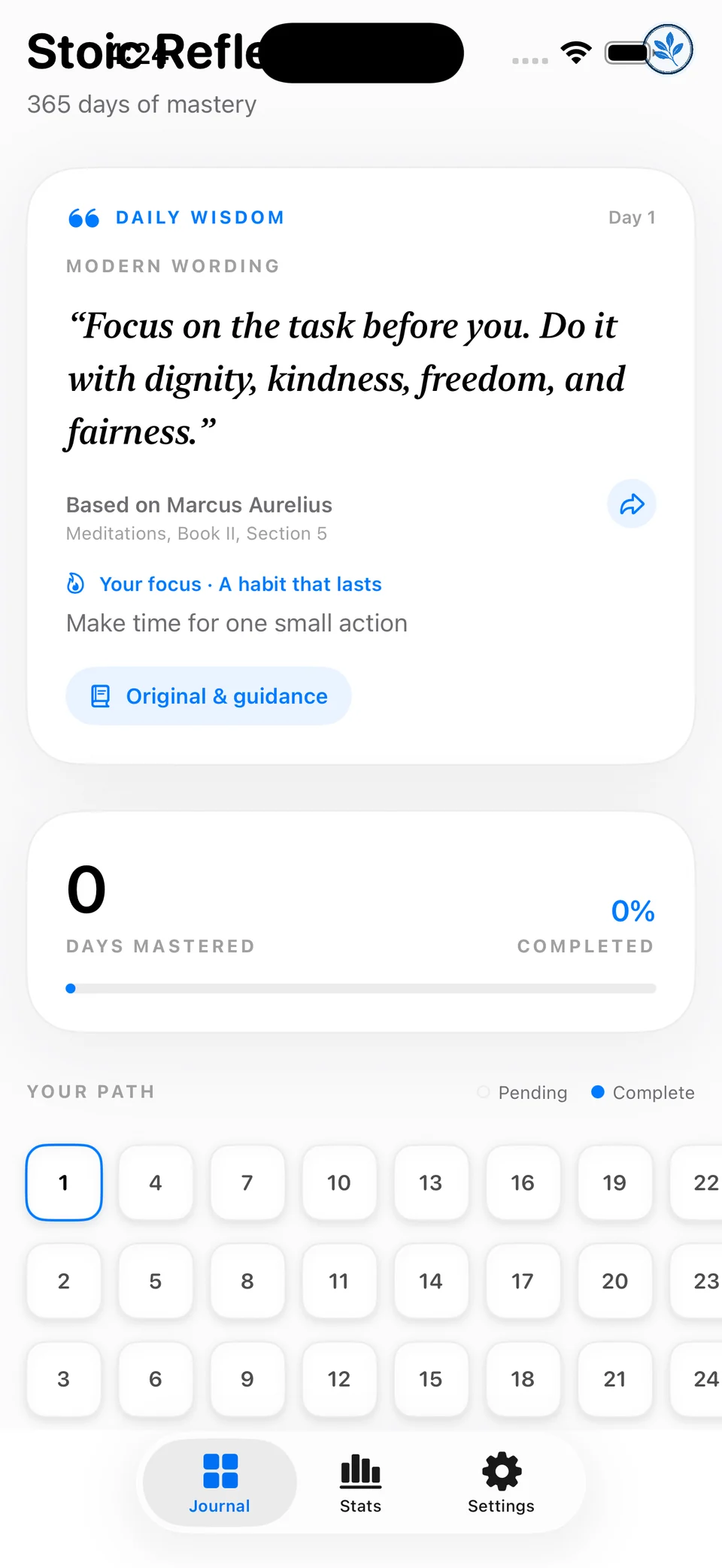
The screen separates the passage you can open from the days you have completed. Those are useful navigation cues, but neither tells you how thoughtful a reflection was.
Read the current passage first
Start with today’s available reading. Read its modern wording, then open Original & guidance if you want the source and context. You do not have to browse the entire path before making one observation.
Write about a situation you recognise. A few specific words are enough to begin; a long entry is not a requirement for the passage to be useful.
Notice which days are completed
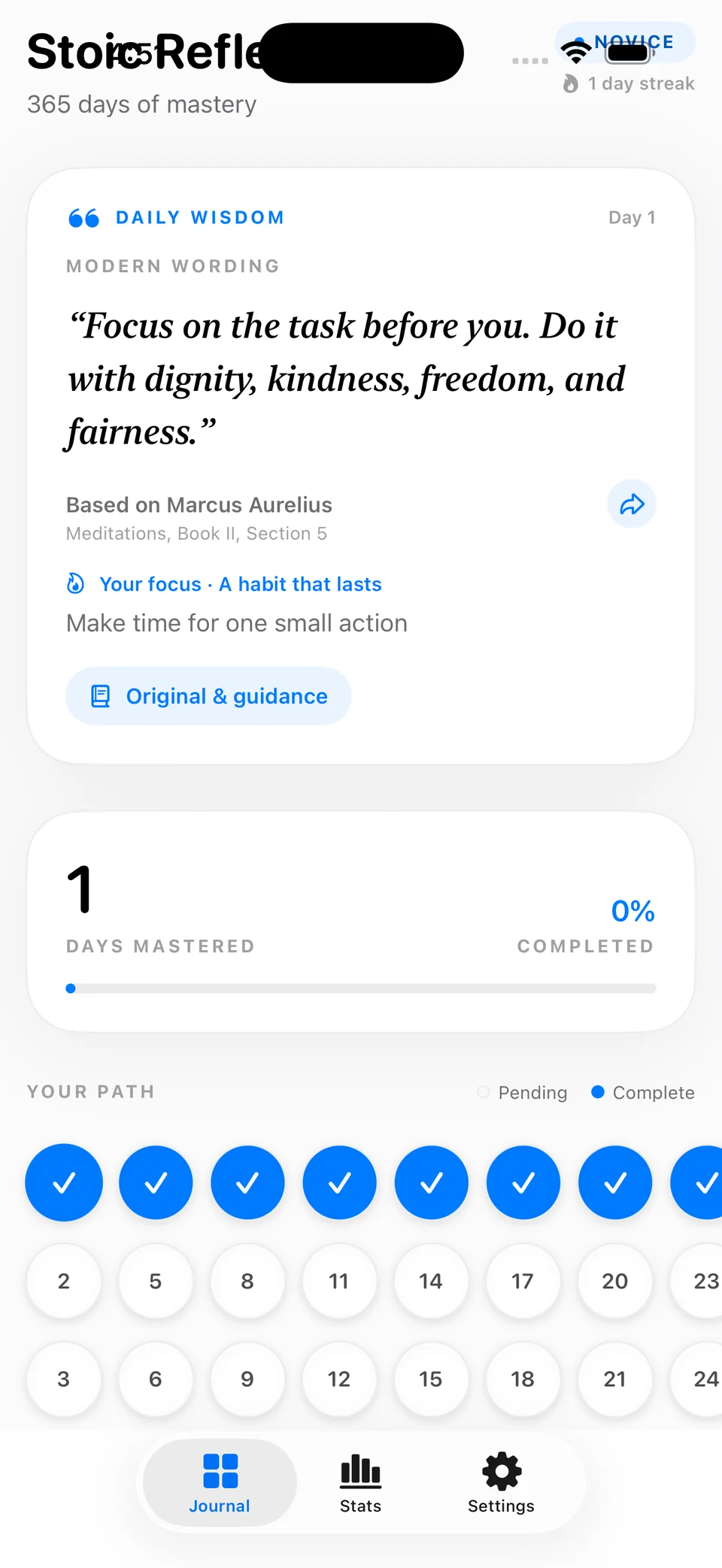
Use the completion markers to distinguish a day you finished from a day you only opened. The progress count summarises completed days; it is not a count of every time you launched the app.
After finishing a reflection, return to the day view and check the marker. That small check helps you understand the app’s record before relying on it to find your place later.
Open another day deliberately
If you want to revisit earlier reading, choose its day and inspect the passage. Some navigation across the full path requires Pro, an active trial, or an offered access action. Follow the prompt rather than assuming every future day is free.
A day index belongs to the app’s reading path. I would not read a numbered tile as proof that the user wrote on a particular real-world date; use an entry’s own date when that distinction matters.
Continue after a gap
If you miss a week, begin with one passage. There is no need to write seven hurried reflections to make the grid look tidy. A useful next action matters more than restoring a pattern in a screenshot.
Daily quotes, guidance, written reflections, progress, and reminders remain free with ads. Pro removes ads and adds reflection history, full-path access, premium appearance and sharing, and widgets. Your saved reflections remain when the trial ends, although Pro-only browsing features can lock.
For a concrete reading-to-action workflow, see my short reflection routine. For understanding another kind of milestone, read what the achievement badges mean.