In this article
A puzzle can feel cramped because of the tray arrangement rather than the difficulty of the picture. I would compare the board and pieces before changing the puzzle or deciding that a larger device is necessary.
Keep the puzzle and mode fixed
Choose one early picture and note whether Relaxed Play is enabled. Use the same setting while comparing layouts; the placement behaviour and timed result rules are a different variable.
Do not compare a nearly completed tablet board with a fresh phone puzzle and call that a device test. Keep a similar number of loose pieces visible, and use a piece with a recognisable feature so you can judge its size and destination.
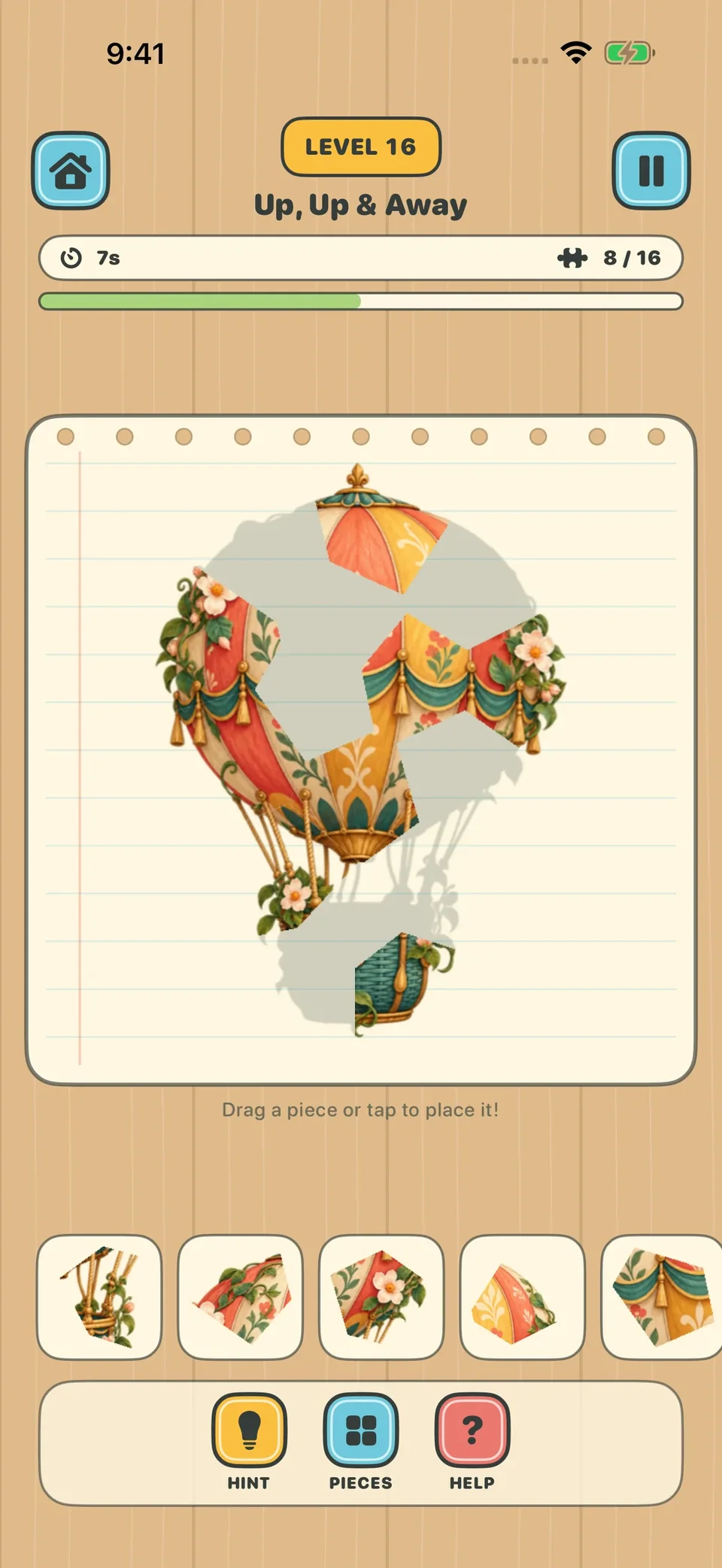
Inspect portrait as a complete workspace
In portrait, the tray sits beneath the board. Check whether you can identify a piece before picking it up and see the target while moving it. Try the actual drag and supported select-then-tap placement behaviour.
Look at the board at normal viewing distance. A screenshot enlarged on a desktop can hide the small-label and hand-occlusion problems that matter on the phone. The native portrait capture below establishes the real arrangement, not a claim that it fits every hand.
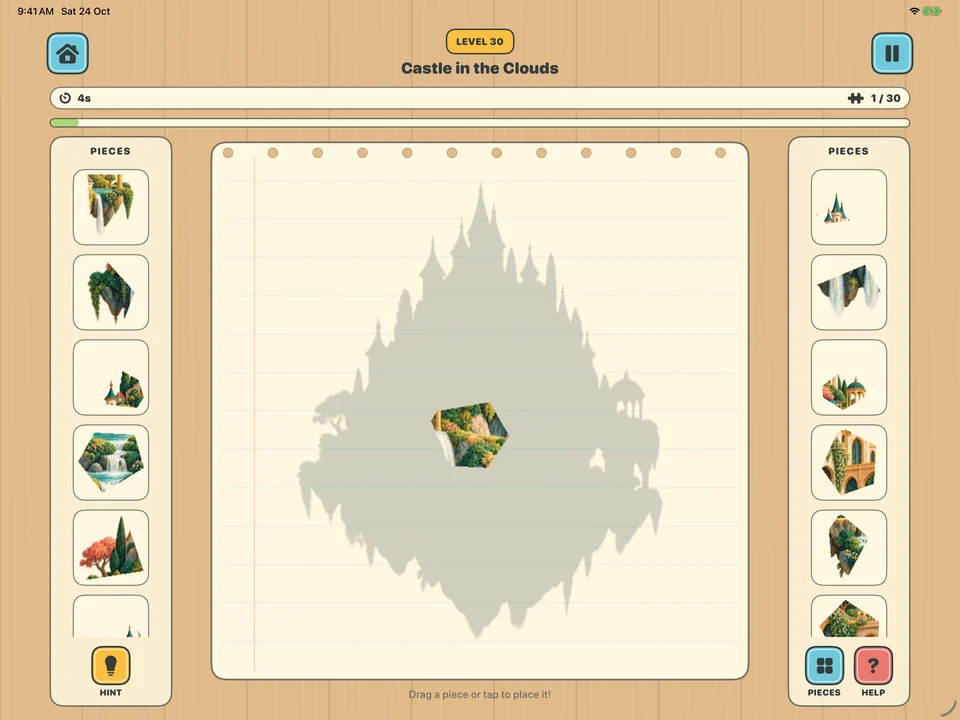
Compare the side trays in landscape
Rotate the device and inspect how the pieces sit beside the board. The native iPad landscape capture shows the split layout. More horizontal room can be useful, but reach to the far tray and the physical support under the tablet still matter.
Try the same kind of move and check which area your hand covers. Keep the route from tray to board visible. A different orientation can help without changing the puzzle difficulty, and returning to portrait is also a reasonable result of the comparison.
Make the next session easy to resume
Progress saves automatically, so choose a clear stopping point and check the picture you return to. Do not infer that progress automatically transfers between devices; this guide compares layouts rather than establish a cross-device sync workflow.
The mode guide covers pace and results separately. The first-puzzle guide introduces controls. If you are choosing an app for a shared break instead, the four-player Button Mash plan describes a different activity using one shared phone.
Know the access limits
Pizple is free to download with advertising. The released game has 100 handcrafted puzzles across 20 chapters and lists a Remove Ads purchase. Check its purchase screen for current terms; I do not infer a duration or extra content entitlement from that product name. Progress saves automatically.
Questions before you start
Does rotating choose Relaxed Play?
No. Orientation and the play setting are separate choices.
Will the same saved puzzle appear automatically on my other device?
Do not assume cross-device transfer. This article compares interfaces and does not establish synchronisation.
See the app details and current access information before choosing your next step.