In this article
A bigger screen can make a drawing easier to inspect, but it is only useful when the device can be held or supported comfortably. I would judge Colourify on the actual picture, tools, and place where the activity will happen.
Use the same task on both devices
Choose one available numbered picture, then a simple brushing picture. Keep the activity comparable: the same region, similar zoom, and the same tool. Comparing a large simple phone picture with an intricate tablet drawing tells you little about the device layout.
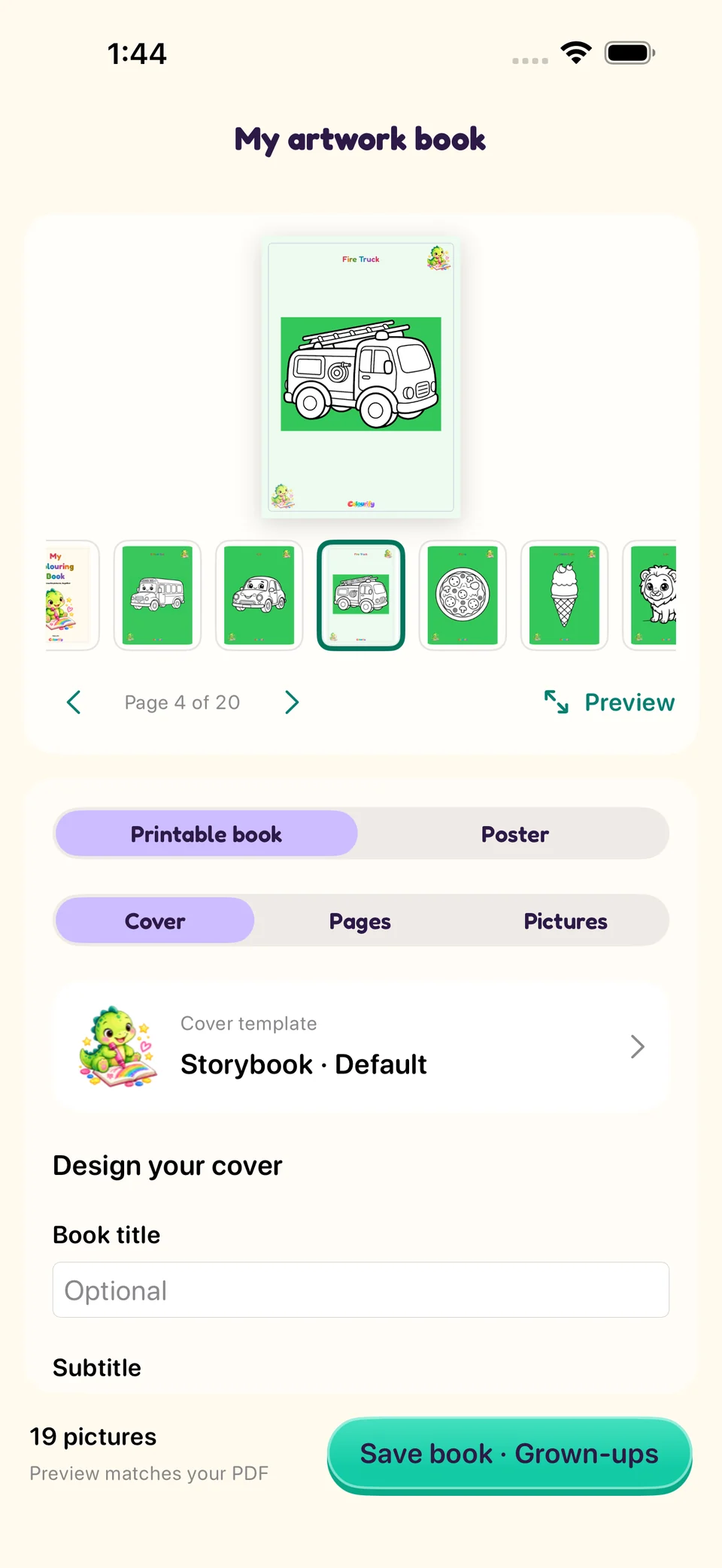
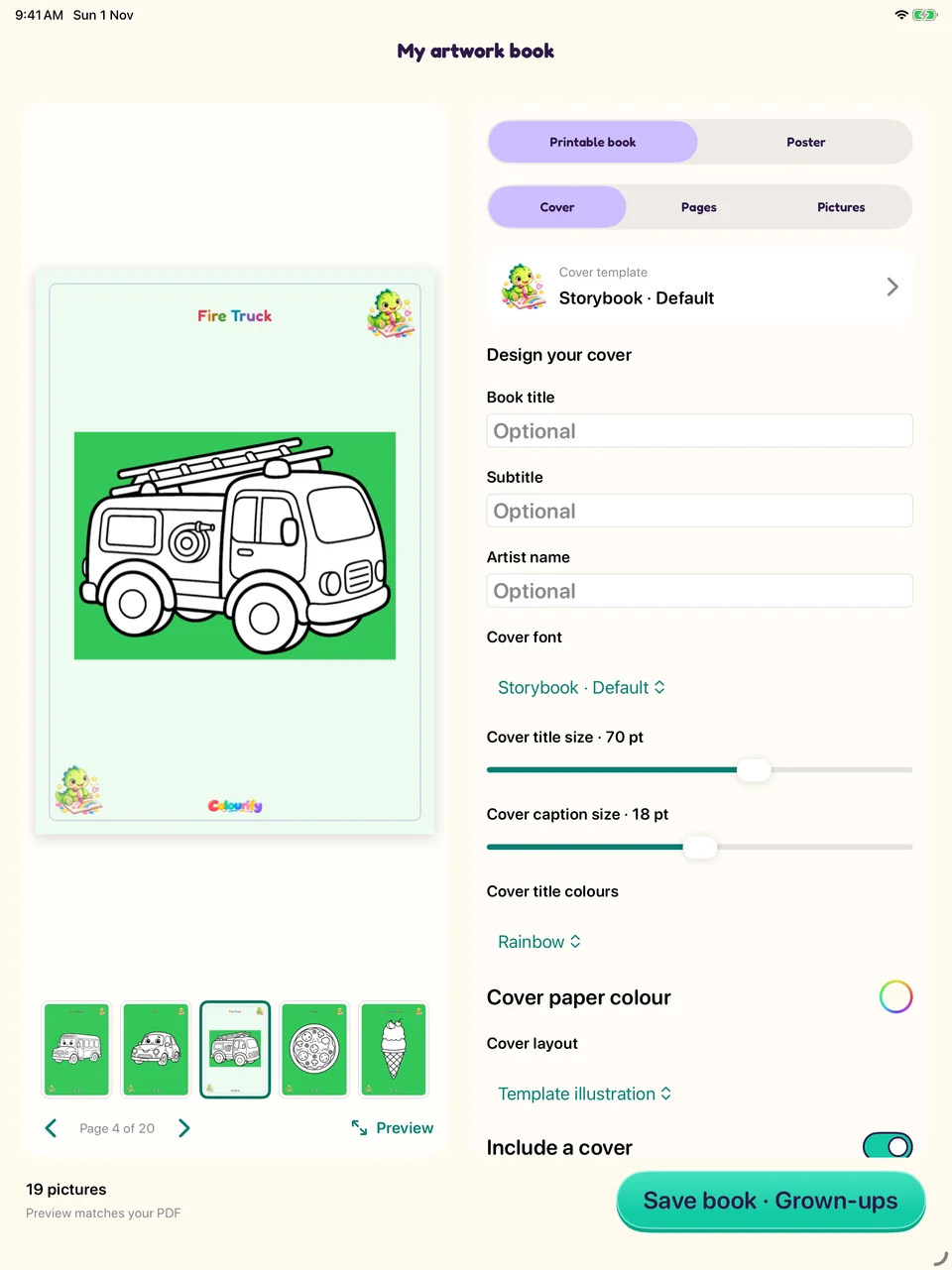
For the book editor, the native phone and iPad captures below show the same demonstration collection and page-strip workflow. They illustrate layout differences, not a timed test with children or a claim about learning outcomes.
Check reach and visible space on the canvas
Inspect how much of the picture remains visible above the tools. Try zooming into a small area, changing a colour, using Find next in numbered colouring, and undoing one mark. Watch whether the hand holding the device hides the next area.
A stable case or stand can change this comparison as much as the display diagonal. Use a setup that keeps the device secure without making either hand stretch around awkward edges. Do not interpret faster tapping as the only sign of a suitable device.
Compare the book layout separately
The phone book editor stacks its controls into a narrower space. An iPad can give the preview and controls more room. Inspect the page strip, selected page, and full preview on each rather than assuming every large-screen arrangement remains identical in a narrow window.
Before judging the picture fit, check whether the page is portrait or landscape and whether the cover is selected. Different page orientations and selections can create an apparent device difference that is actually a document choice.
Choose with the existing device and account in mind
Try a free activity before buying hardware or an app unlock for this purpose. I do not infer purchase sharing, automatic artwork synchronisation, or progress migration merely because Colourify runs on both devices. Artwork is stored locally; plan separately before changing devices.
Choose the activity first, then review protected actions before sharing the device. For a printed collection, the book walkthrough explains the output checks that matter on either screen size.
Know the access limits
Colourify has no ads. Starter numbered pictures and ten brushing pictures are free. Optional lifetime Unlock Everything adds Pro pictures, extra brushes and fill styles, premium sounds, unlimited drawing imports, and personalised PDF book export. Purchases and protected sharing actions go through the grown-up area. Artwork remains on the device.
Questions before you start
Will my drawing automatically appear on another device?
Do not assume synchronisation. Artwork is stored on the device; verify any transfer workflow before moving important work.
Should I buy an iPad just for this app?
Try the free activities on the device you have first. This guide does not establish that a hardware purchase is necessary.
See the app details and current access information before choosing your next step.

