In this article
Open Cosy sounds, add the recordings you want and balance their individual levels before changing master volume. Rain, Forest and Ocean Waves are free starting choices; additional recordings require Unlock Everything.
Two pleasant recordings can become a distracting mix when both play at full volume. I would begin with one, add a quieter companion and listen while actually colouring. The artwork remains the activity; audio is an optional part of the setup.
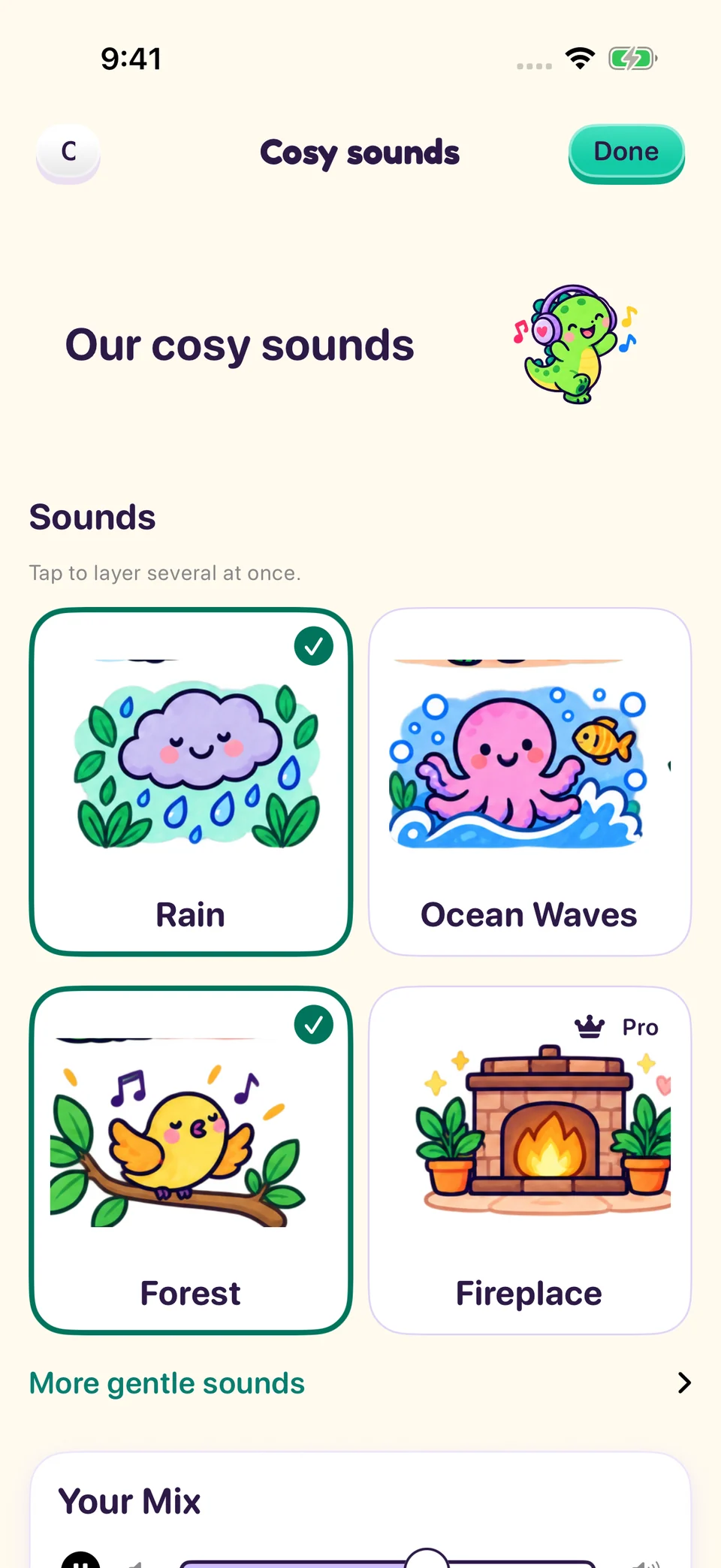
Build a small mix
Open Cosy sounds from the colouring controls. Begin with Rain, Forest or Ocean Waves, then add a second available recording if it improves the experience. Colourify’s local selection contains 16 sounds, including nature recordings and noise textures. Thunder and Colorist’s Studio Music are not part of this children’s selection.
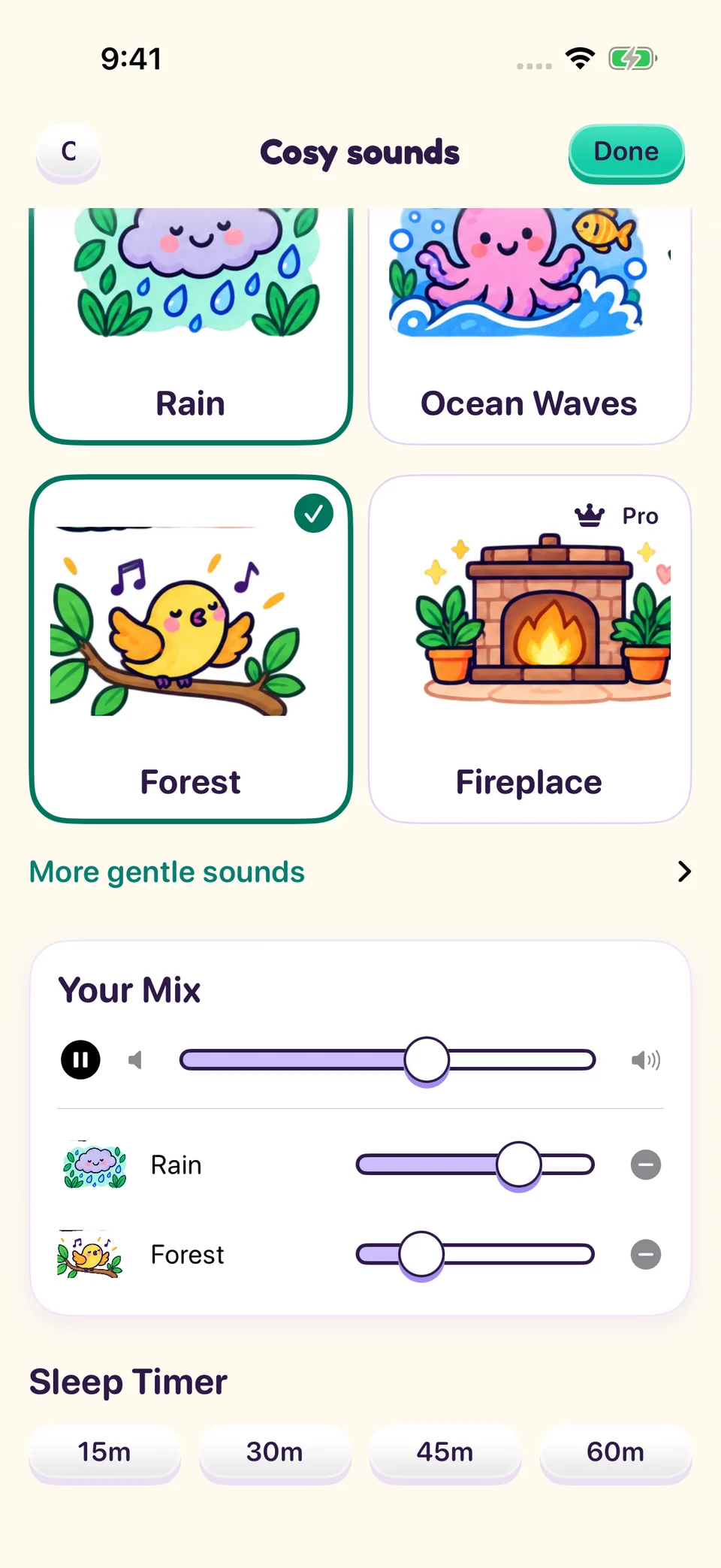
Balance layers before overall loudness
Use each active sound’s level to decide which is foreground and which is background. Lower the companion instead of raising both. Then adjust the master level and the device’s listening volume for the actual room. A slider position is not a measurement of sound pressure, particularly when headphones or another speaker change the output.
Pause or simplify the mix
Remove a layer that competes with conversation or the drawing feedback. Pause/resume when taking a break, or clear the mix when quiet is better. The app can keep its mix while you navigate within it, but this guide does not promise verified lock-screen or background-app playback. Add a sleep timer if you want a chosen stopping point.
Check the result
- Listen while making a few marks rather than only in the sound chooser.
- Check that each active layer contributes something useful.
- Try silence as well before settling on a mix.
Know the access limits
Rain, Forest and Ocean Waves are free; the other 13 sounds require Unlock Everything. Audio choices are not a treatment or a guarantee of concentration.
Explore Colourify, or continue with the related guide.

