In this article
Stepping away from work rarely happens cleanly on its own. Even after I close my laptop, my head stays busy with half-finished tasks, and an open-ended evening hobby can easily turn into another hour of staring at a screen. Giving myself a strict fifteen-minute window in Colorist solves that problem by turning colouring into a small, bounded routine rather than another project to finish.
I built this habit around three constraints: one picture, one palette, and a hard stop when a timer rings. It is not a medical practice or a guaranteed way to switch off, just a practical structure I use when I want something quiet to do with my hands before dinner or bed.
Before the clock starts: set the boundary outside the app
Colorist does not have a built-in countdown timer, so I start by setting a fifteen-minute timer in the standard iOS Clock app on my iPhone or iPad. Keeping the timer outside the canvas is deliberate. I do not want a ticking clock sitting next to my brush controls, reminding me how many minutes are left.
Before I tap Start, I also decide whether tonight is for continuing an existing piece or starting a new one. If I leave that choice until the timer is running, I can easily spend five minutes scrolling through portraits, flowers, mandalas, and landscapes. For an evening wind-down, I prefer opening Colourings and picking something already on the In progress shelf, or choosing one uncomplicated illustration from the catalogue before the timer begins.
If the room is noisy, I will sometimes turn on one of Colorist’s ambient sounds at a low volume. Most nights, though, I leave audio off so the session stays as quiet as possible.
Minutes 0 to 3: lock in one mode and one palette
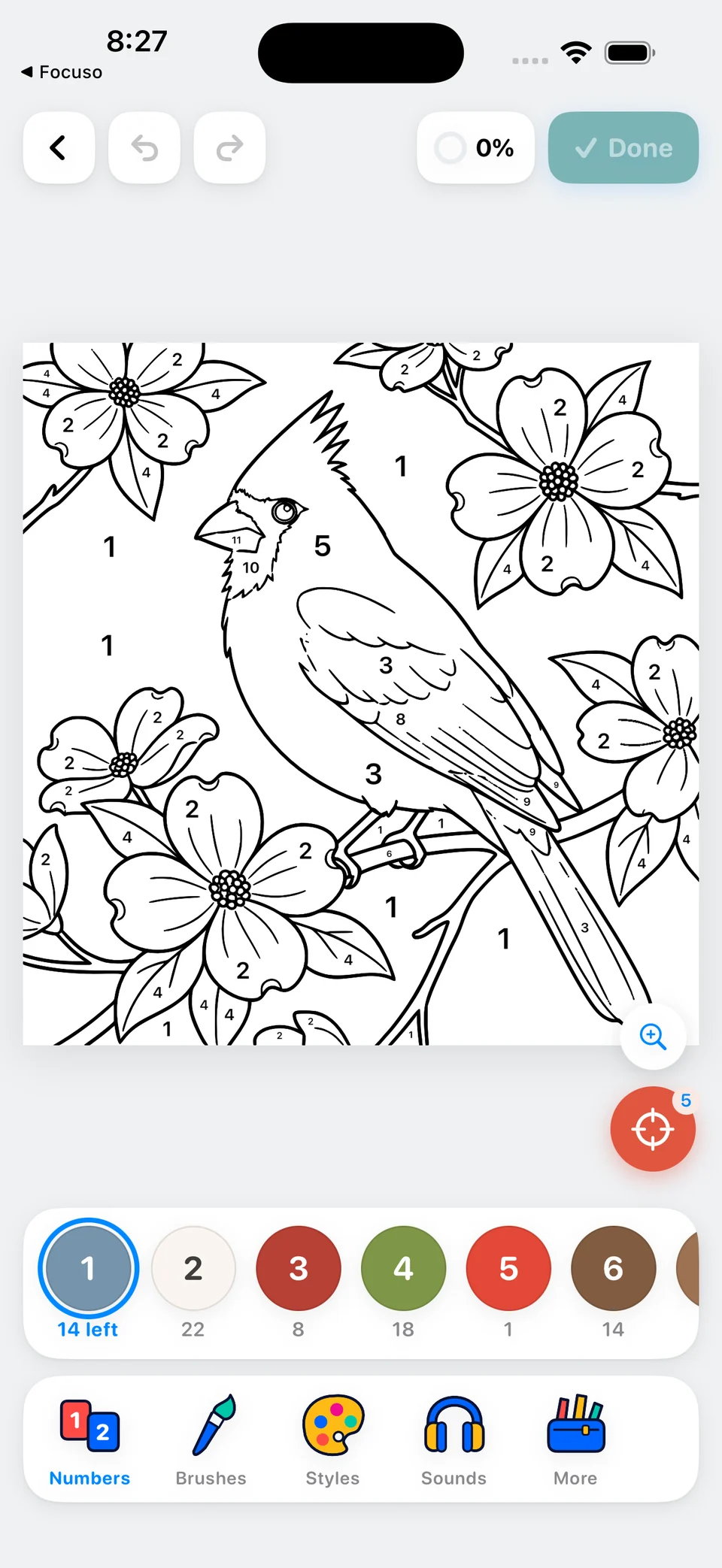
Once the timer starts, the first three minutes are for removing decisions. On evenings when my eyes feel tired and I do not want to think about colour theory, I stay in paint-by-number mode and follow the numbered swatches. When I want a slightly more tactile feel without inventing a colour scheme from scratch, I switch to the Magic brush to reveal the picture’s original colours as I stroke.
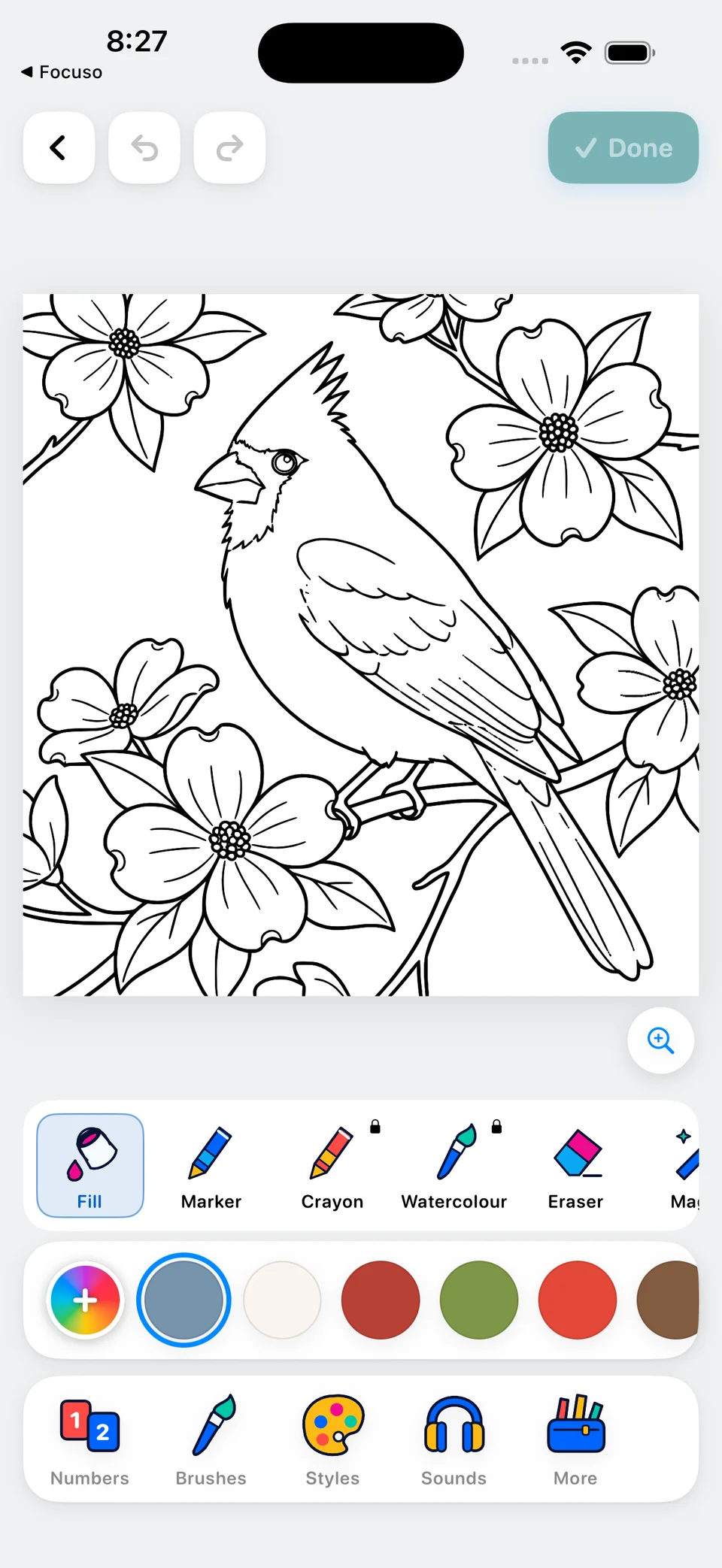
If I have a bit more energy and want to choose my own colours, I switch to free colouring and pick a single named collection from My palettes. The rule I hold myself to is simple: whatever palette I choose in the first three minutes stays for the rest of the fifteen-minute block. Switching fill styles—between solid fills, gradients, satin, glitter, or patterns—is fun when I am experimenting, but it slows down a short evening session and turns it into tinkering.
Minutes 3 to 12: work a single corner of the canvas
The middle nine minutes are where the routine actually settles down. Instead of zooming out to check how much of the whole page is left, I pinch to zoom into one small area—a cluster of petals, a bird’s wing, or one ring of a mandala—and stay there.
Tap-to-fill works well if I am on my iPhone with one thumb; on an iPad, I tend to slow down and brush smaller sections by hand. If I tap the wrong region or overshoot a border, I hit undo and carry on without fussing over it. Treating the session as a nine-minute visit to one corner of a picture takes the pressure off finishing anything.
I also avoid jumping between different artworks during this window. If a piece turns out to be more intricate than I expected, I simply colour whatever fits comfortably inside those nine minutes and leave the rest for another evening. Colorist saves progress automatically on-device, so an unfinished corner is ready whenever I come back to it.
Minutes 12 to 15: stop on the bell and leave a clean handoff
When the fifteen-minute timer rings, the hardest part of the routine is actually stopping. My rule is to finish only the single shape or brushstroke already under my finger, then back out of the canvas to the Colourings library so I can see the updated thumbnail saved on the In progress shelf.
Leaving a clean handoff makes tomorrow’s session effortless. If I want to try a completely different mood on the same drawing later, I can always duplicate it into a separate edition rather than overwriting tonight’s colours. For a closer look at picking up where you left off, see my guide to resuming unfinished artwork, and if you want to prepare reusable colour sets ahead of time, read how I organise custom palettes.
If you want to try this routine yourself, keep the access boundaries in mind before you start. Colorist needs no account, keeps your artwork, palettes, and progress on your device, and lets you colour bundled pictures offline. Free pictures and tools include ads, while an optional one-time lifetime Pro purchase removes ads and unlocks Pro pictures, tools, ambient sounds, unlimited drawing imports, and the option to hide the credit and QR code on exported designs, posters, and books (some tools can also be tried via a temporary rewarded ad). You can check the full feature list and App Store link on the app page.